Thailand SIM Card: Prices, Best Tourist Plans, and eSIM Options (2025 Guide)

Choosing the right Thailand SIM card can save money, reduce hassle, and keep you connected on maps, ride-hailing, and messaging from the moment you land. This 2025 guide explains prices for 8, 15, and 30 days, compares AIS, DTAC, and TrueMove H, and shows when eSIM is the better option. You will also see how to buy at the airport or in the city, activate correctly, and avoid common pitfalls like roaming charges or throttled speeds. Read on for quick answers, then dive into coverage, validity, and step-by-step activation.
Quick answer: prices, best options, and who should choose what
If you want a fast summary, Thailand tourist SIMs are affordable and easy to set up. Most travelers pick between unlimited data plans with a fair usage policy (FUP) and fixed‑data bundles with a clear gigabyte allowance. Airport counters are convenient but often cost more than city stores or in‑app deals, and eSIM can help you skip queues.
Operator choice is simple for most trips. AIS is the safest pick for nationwide coverage and rural detours. DTAC is strong for video streaming and smooth urban performance. TrueMove H invests heavily in 5G in big cities like Bangkok, Chiang Mai, and Phuket, making it attractive for high‑speed users in dense areas. Performance varies by neighborhood and time of day, so always verify coverage on the operator’s official map before you buy.
Typical Thailand SIM card prices for 8, 15, and 30 days
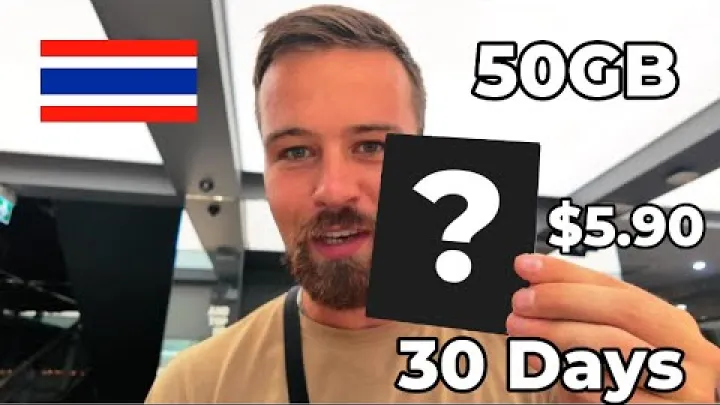
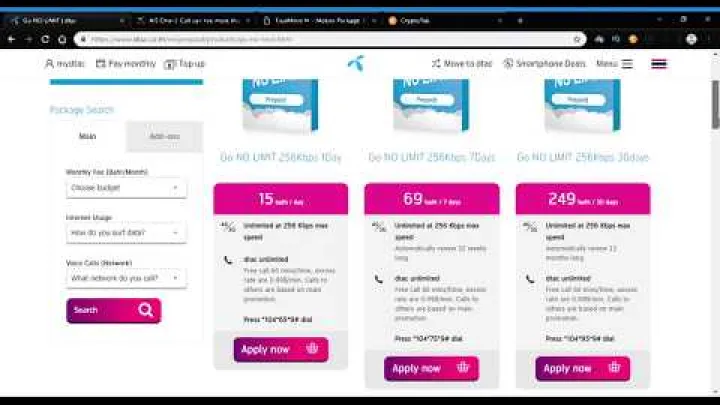
Tourist pricing in 2025 typically looks like this: unlimited data plans with daily FUP are around 449 THB for 8 days, 699 THB for 15 days, and 1,199 THB for 30 days. Fixed‑data alternatives often appear at about 299 THB for 15 GB over 8 days, 599 THB for 30 GB over 15 days, and 899 THB for 50 GB over 30 days. Many packages include a small amount of local call or SMS credit, though details change with promotions.

“Unlimited” options follow a fair usage policy. A common pattern is several gigabytes per day (roughly 2–3 GB/day) at full speed, then throttling for the rest of the day with a reset at midnight. Throttled speeds can still handle messaging and maps but may reduce video quality and slow large downloads. Airport kiosks are quick but usually priced higher than city shops by about 10–25%. Plan names and promos change often, so confirm current offers in the operator’s official app.
| Duration | Unlimited (FUP) — typical | Fixed data — typical |
|---|---|---|
| 8 days | ~449 THB (full speed until daily FUP, then throttled) | ~15 GB for ~299 THB |
| 15 days | ~699 THB | ~30 GB for ~599 THB |
| 30 days | ~1,199 THB | ~50 GB for ~899 THB |
Recommended operators by city vs rural travel
For national coverage and remote areas, AIS is the safest choice. If your plan includes island‑hopping or northern highland loops, AIS reduces the chance of dead zones. DTAC provides a strong user experience in cities and popular tourist corridors, often delivering smooth video streaming in busy areas.

TrueMove H emphasizes dense 5G in urban hubs like Bangkok, Chiang Mai, and Phuket. If you expect to spend most of your time in these cities and value high peak speeds, TrueMove H can be compelling. Real‑world performance varies block by block and changes with network load, weather, and device capability. Before buying, review up‑to‑date coverage maps on each operator’s website or app, especially if you have specific rural stops on your itinerary.
Best Thailand SIM cards for tourists (comparison and decision guide)
Picking the best SIM card for Thailand depends on where you will travel and how you use data. Travelers who rely on maps, messaging, and occasional social updates can pick a fixed‑data plan sized to their stay. Heavy streamers, laptop hotspot users, or content creators often prefer “unlimited” packages with daily FUP because they remove guesswork on total gigabytes. Thailand’s three major operators—AIS, DTAC, and TrueMove H—offer comparable tourist bundles, but each has strengths in coverage and speed that can influence your decision.

To decide quickly, consider this: choose AIS if you will leave the city frequently or plan nature trips. Pick DTAC if your stay is city‑heavy and you care about smooth video. Choose TrueMove H if you want dense 5G in metro areas. Make sure your phone supports the local bands and is unlocked, and check whether your plan allows tethering and 5G access on your device model before purchase.
AIS vs DTAC vs TrueMove H: coverage, speed, and 5G availability
AIS is known for the widest footprint and dependable suburban/rural reach. It offers consistent 4G across most populated areas with growing 5G in cities. This makes AIS a strong default if your itinerary includes national parks, mountain routes, or islands where other networks may drop to weaker signals. Exact speeds depend on spectrum, local congestion, and your phone’s capabilities, so experiences vary by location and time of day.
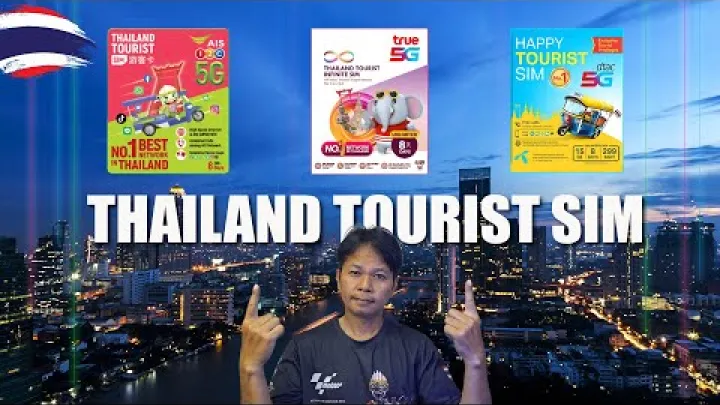
DTAC performs well in urban environments, delivering competitive speeds and stable video performance in city centers and busy tourist corridors. TrueMove H has been aggressive with 5G build‑outs in major cities, which can produce high peak speeds in dense coverage zones. In practice, each network has pockets of strength and weakness, so choosing based on your planned destinations often matters more than measured peak speeds in a lab.
- AIS — Pros: widest national coverage; reliable outside big cities. Cons: city peak speeds may not always top charts during congestion.
- DTAC — Pros: strong urban video experience; competitive in city corridors. Cons: rural reach can be less consistent in some remote zones.
- TrueMove H — Pros: dense 5G in major metros; attractive for high-speed fans. Cons: performance depends on staying within 5G footprints.
Unlimited (FUP) vs fixed-data plans: which is right for you?
Unlimited plans in Thailand typically use a daily fair usage policy. You get full speed up to a daily threshold—commonly around 2–3 GB—after which speeds are reduced until the reset at midnight. Before throttling, 720p–1080p streaming is practical, and hotspotting a laptop for work tasks is feasible. After throttling, messaging and maps continue to work, but video may drop to 360p–480p and large uploads can be slow.
Fixed‑data plans give you a clear allowance (for example, 15 GB or 30 GB) at full speed without daily thresholds. They suit moderate users who value predictable performance and want to control hotspot use. Tethering rules can differ by package, so confirm in the app or product sheet. If you stream frequently, upload photos and videos, or rely on a hotspot for work, an unlimited plan with FUP is often the safer pick. Light users who mostly chat, navigate, and post occasionally can save with fixed‑data bundles.
eSIM vs physical SIM in Thailand
Physical SIMs remain widely available and are simple to set up at carrier counters and convenience stores. The best choice depends on your device compatibility, whether your phone is carrier‑locked, and how soon you want to be online after landing.

eSIM and physical SIM plans are often similar in price for tourists, but eSIM offers the added convenience of pre‑loading before departure. If you need local calls or specific add‑ons, visiting a carrier shop for a local eSIM can sometimes deliver better rates than international eSIM marketplaces.
Device compatibility and setup steps
Your phone must be unlocked to use any Thailand SIM card or eSIM. For eSIM, ensure your device supports eSIM on iOS or Android. Thailand networks commonly use LTE bands 1/3/5/8/40 and 5G n41/n28, while mmWave availability is very limited. If your device lacks these bands, coverage or speed can be reduced compared with local models.

Typical setup is simple: purchase the plan, scan a QR code or install via the provider’s app, label the new line, enable mobile data for that line, and confirm that the APN settings auto‑configure. Turn off mobile data on your home SIM to avoid roaming charges and keep it active only for calls or SMS if needed. 5G requires both device and plan support; if either is missing, service falls back to 4G automatically.
- Buy your plan (online marketplace or local operator).
- Install eSIM by scanning the QR or following in‑app prompts.
- Set the Thailand line as the default for mobile data and turn on data roaming for that line if required.
- Check that APN loaded automatically; if not, add it manually from the plan insert or help page.
- Restart your phone and test data, calls (if included), and tethering.
Sample eSIM providers, plans, and use cases
Popular eSIM options for Thailand include Airalo (often riding DTAC), Saily, Holafly, and Roamless. These providers sell data‑only plans in varied sizes and durations, typically ranging from a few dollars for small short‑term packs to larger bundles for multi‑week stays. Activation usually starts when the eSIM first connects on the ground, not on the purchase date, but verify this in each provider’s terms.
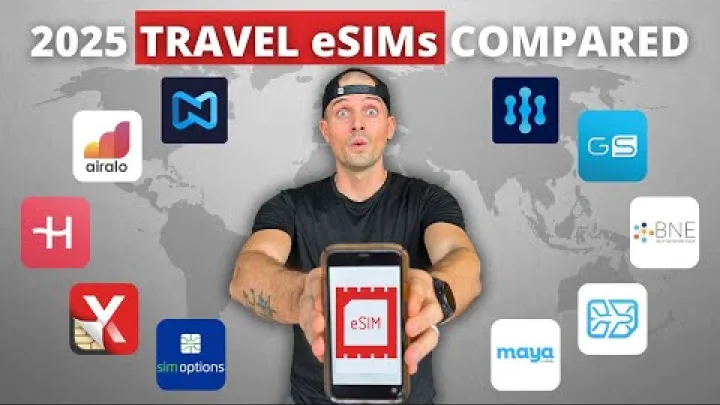
Common use cases include skipping airport queues, keeping your home number active in dual‑SIM mode, and pre‑loading connectivity before departure. Local operators also sell eSIM in official stores once your identity is verified, sometimes at better local rates. Refund and change policies vary: some marketplaces offer partial refunds if unused, while others provide plan changes only before activation. Check the provider’s policy and whether tethering is permitted on the selected plan.
Where to buy: airport kiosks, city shops, and online options
Airport kiosks prioritize speed and language support, which is helpful after a long flight. City outlets, however, often have lower prices and broader plan choices, especially when combined with in‑app promotions. If you prefer to be connected immediately after landing without stopping at a counter, install an eSIM before you fly.
Online purchases usually accept international payment cards. Airport baggage‑claim counters sometimes require cash, while arrivals‑hall stores tend to accept both cash and cards. If you arrive very late, the airport markup can be worth the convenience; otherwise, consider buying in the city or using eSIM to save time and money.
Payment methods and avoiding airport markups
Airports offer the fastest service and English‑speaking staff, but prices are typically higher by around 10–25% compared with city shops or in‑app deals. Some baggage‑claim counters are cash‑only, while arrivals‑hall kiosks often accept cards. If you land late and want instant connectivity, that premium can be a fair trade‑off for convenience.

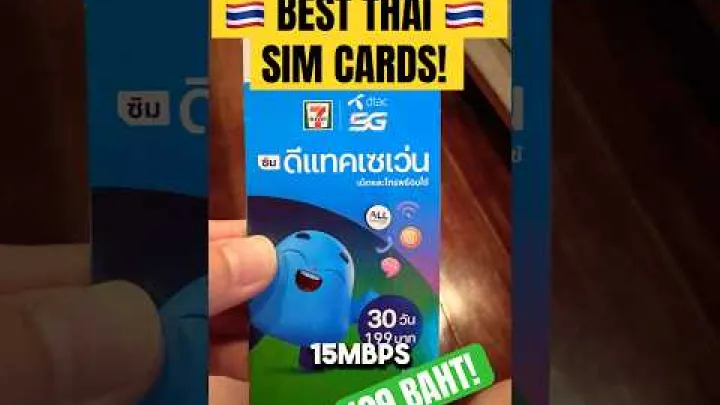
In the city, official AIS, DTAC, and TrueMove H stores and convenience chains like 7‑Eleven usually offer better pricing and ongoing promotions. Apps and eSIM marketplaces also accept international cards and occasionally run bigger discounts than physical shops. To minimize costs, compare airport prices on arrival with the same plans in the operator’s app before you buy.
How to use carrier apps and in-app promotions
Download the AIS One app, the dtac app, or True iService to manage your line, check balances, and purchase add‑ons. These apps often feature bundles that are cheaper than in‑store prices, and you can pay with international cards. Many tourist SIMs require passport‑based verification before the app shows all options, so complete registration promptly.

Enable app notifications to catch time‑limited promotions, FUP resets, and low‑balance alerts. The apps can also display your remaining data, plan expiration date, and call credits if included. This helps you time heavy downloads before daily FUP kicks in and avoid unexpected lapses in service.
Plans, top-ups, and validity
Thailand prepaid SIMs are flexible. Tourist bundles commonly come in 8‑, 15‑, and 30‑day versions with either unlimited data under a daily FUP or fixed‑data quotas. Many packs include small local call credits or discounted international calling. After the initial bundle ends, some tourist SIMs convert to regular prepaid, letting you continue service with additional data packs and top‑ups.

Understanding how validity and top‑ups work helps you avoid interruptions. In many cases, adding credit extends the SIM’s active period for 30–90 days, and in‑app packages are often cheaper than buying add‑ons at kiosks. Auto‑renew options can be convenient for long stays, but remember to disable them if you only need short coverage.
Popular tourist bundles and fair usage policies
Common tourist bundles include unlimited data with a daily fair usage amount or fixed‑data plans with a clear allowance. Under FUP, you get several gigabytes per day at full speed, and after hitting the threshold, speeds are throttled until a midnight reset. Before throttling, streaming and hotspot use feel normal; afterward, basic apps still work, but high‑bitrate streaming and large transfers slow down.

Some operators offer social‑only or app‑specific passes that do not count against general data. These can be useful if you mainly use messaging or certain social platforms. Always review plan terms in the official app or booklet to understand FUP thresholds, any video restrictions, and whether tethering is included without extra charges. Daily reset behavior typically occurs at local midnight, restoring full‑speed data until you exceed the next day’s allowance.
Extending validity and saving with in-app packages
Top‑ups can extend your line’s validity beyond the initial bundle. Depending on the operator and current promotions, adding credit can extend validity by 30–90 days. As a general pattern, even small top‑ups may trigger a 30‑day extension, while higher denominations can push validity further, but the exact thresholds change over time and can differ by operator.

To save money, compare in‑app packages to kiosk add‑ons before paying. In‑app deals are frequently cheaper and more flexible, and you can disable auto‑renew if you only need short coverage for a side trip. Some tourist SIMs convert to standard prepaid after the bundle expires, letting you keep the same number and continue with regular data packs. If you need to pause service for a while, a small top‑up can keep the SIM active until your next visit.
Coverage, speeds, and reliability across Thailand
Thailand’s major cities enjoy strong 4G coverage with expanding 5G, while rural areas lean on 4G and often have fewer bands available per site. Your experience depends on both the operator and your device’s band support. Phones that support LTE bands 1/3/5/8 and 5G n41/n28 are well‑positioned for consistent service in most tourist areas.
Terrain matters. On islands, coverage sometimes varies dramatically between the pier, the main village, and remote beaches. Learning how to lock your device to 4G or switching to a band with stronger penetration can stabilize service in fringe areas, especially indoors.
City vs rural performance and network band support
In cities like Bangkok, Chiang Mai, and Phuket, you can expect strong 4G and increasingly dense 5G, delivering smooth navigation, streaming, and tethering. Rural and mountainous regions rely more on 4G and may not have the same 5G footprint. To reduce coverage gaps, ensure your phone supports LTE bands 1/3/5/8 and 5G n41/n28, which are widely used in Thailand.
Certain locations are known for dips in coverage. Examples include parts of Koh Tao’s eastern coves, Railay’s limestone cliffs near Krabi, stretches of the Mae Hong Son loop, high points around Doi Inthanon, and trails within Khao Sok National Park. If you encounter instability, try locking your device to 4G/LTE, moving to open areas, or temporarily disabling 5G. Download maps offline before day trips and carry a power bank so your phone can stay on while searching for signal.
Practical expectations for video, social, and tethering
Before you hit daily FUP on an unlimited plan, 720p–1080p streaming is usually fine, and hotspotting a laptop for email, conferencing, or document syncing is practical on a good cell. After throttling, video may drop to 360p–480p or buffer, and large uploads will slow notably. Fixed‑data plans continue at full speed until your allowance runs out, after which you may need to top up or buy an add‑on.
Most tourist SIMs allow tethering, but heavy hotspot use during busy hours can be deprioritized by the network, resulting in lower speeds. Use the carrier app to monitor data usage and plan expiration so you can schedule backups, map downloads, or cloud syncs before daily FUP kicks in. If you need to send large files, do it earlier in the day or connect to reliable hotel Wi‑Fi in the evening.
Registration, identity verification, and new liveness rules
Thailand requires prepaid SIM registration to match a SIM with a verified identity. Tourists can register easily with a passport and basic arrival details. The process at official shops is quick and often includes a photo capture, and from 2025 a liveness step may be required for certain transactions to prevent fraud. Registration helps carriers manage security and enables functions like in‑app payments and number recovery.

If you plan to buy multiple SIMs for family or devices, one passport can register several lines within regulatory limits. For minors, a guardian may need to be present during registration. Some shops keep a copy of your passport as part of the regulatory process, which is standard practice.
Required documents and quick registration checklist
Staff will register the SIM in a few minutes, link it to your identity, and help with activation if needed. Registration also enables use of the operator’s app where you can manage add‑ons and payments.
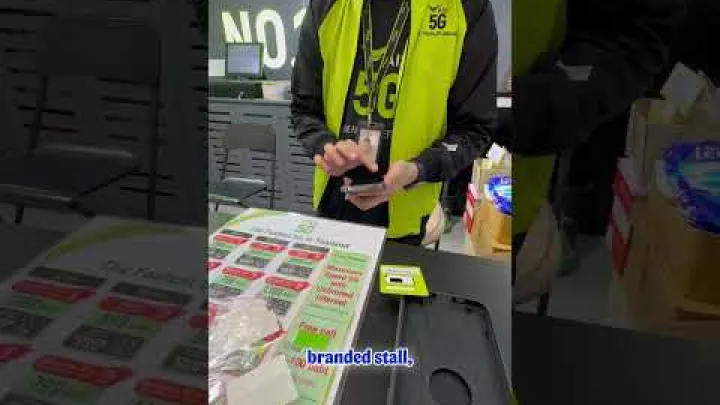
Checklist before you leave the counter: verify that calls and data work, ensure the SIM or eSIM profile is labeled clearly in your phone settings, and confirm that the app shows your verified status. If registering a minor, have a guardian present and be prepared for the shop to keep a passport copy according to local rules.
Biometric liveness detection (effective Aug 18, 2025)
Effective Aug 18, 2025, new SIM activations and SIM swaps in Thailand require biometric liveness verification. This is typically a guided selfie or brief gesture sequence designed to confirm that a real person is present during registration, reducing SIM swap fraud and identity misuse. Existing users do not need to re‑verify unless they replace or transfer their SIM.

Expect some remote or online activations to enforce the same liveness verification. If you are activating an eSIM online, be ready to complete the selfie step and follow instructions in the app. Keep your passport handy and ensure good lighting to speed up the process.
Step-by-step: how to activate and set APN correctly
Activation in Thailand is straightforward whether you use a physical SIM or eSIM. Physical SIMs usually activate automatically after insertion, and staff can assist at the counter. For eSIM, installation takes only a few minutes with a QR code or through the provider’s app. The main pitfalls are using a locked device, leaving mobile data enabled on your home SIM, or having incorrect APN settings.

Set your Thailand line as the default for mobile data and enable data roaming for that line if the plan requires it. APN settings often load automatically, but you can enter them manually if data does not start. AIS and TrueMove H commonly use the APN value “internet,” while DTAC may use “www.dtac.co.th.” Always verify on your package insert or operator website because APN values can change.
iOS and Android steps
On iOS: go to Settings > Cellular (or Mobile Data) > Add eSIM/Cellular Plan to scan your QR or follow the app flow. After installation, set Cellular Data to the Thailand line and keep your home line for calls/SMS if needed. If data does not work, check Settings > Cellular > Cellular Data Network to confirm or add the APN, then toggle Airplane Mode or restart the device.
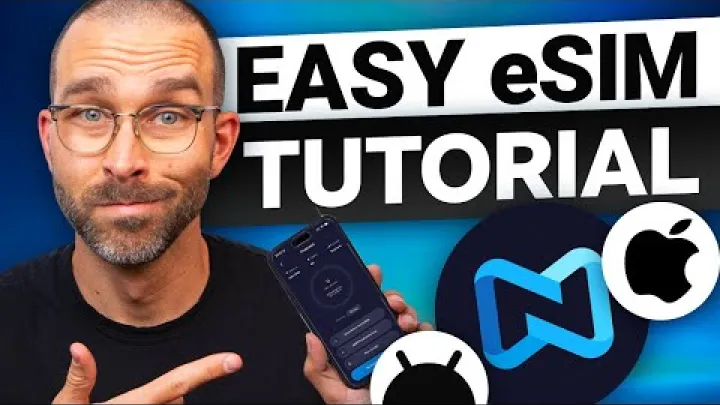
On Android: paths vary by brand, but a common route is Settings > Network & Internet > SIMs or Mobile Network > Add eSIM. Select the Thailand line for Mobile Data, enable Data Roaming for that line if required, and review Access Point Names (APN) under Mobile Network > Advanced. Labels may differ by device maker, so look for similarly named menus and confirm that the APN matches your plan’s instructions.
- Manual APN fallback: AIS/True often use “internet”; dtac may use “www.dtac.co.th”. Verify on your package.
- Disable mobile data on your home SIM to avoid unwanted roaming charges.
- If 5G is not available, your phone will fall back to 4G automatically.
Troubleshooting and support
If something does not work after activation, use this quick checklist. First, confirm your phone is unlocked and supports local bands. Reseat the SIM or delete and re‑add the eSIM if needed, toggle Airplane Mode for 10 seconds, and restart the device. Check that the Thailand line is selected for data and that data roaming is enabled if required by your plan.
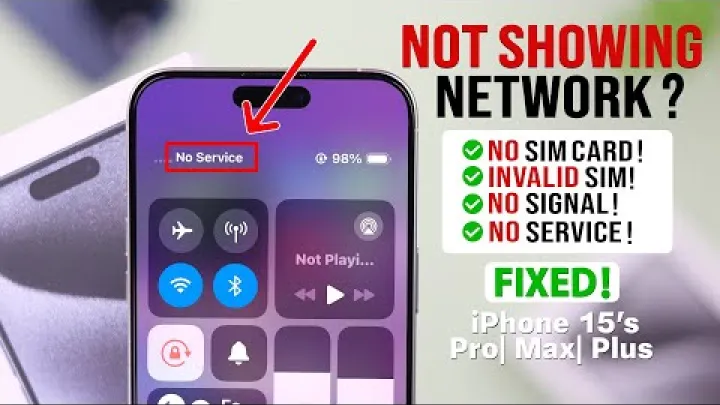
For no data: verify the APN value, ensure mobile data is on, and try the SIM in another phone to isolate device issues. For slow speeds: move to an open area, lock to 4G/LTE if 5G is unstable, and avoid peak times when possible. Contact support via the operator app or hotline and keep your SIM ICCID, passport details used for registration, and receipt handy to speed assistance.
When roaming or regional eSIMs make more sense
If your trip spans multiple countries in Southeast Asia, a regional eSIM can be more convenient than stacking multiple local SIMs. These plans allow one data profile to work across borders such as Thailand, Vietnam, Cambodia, Laos, Malaysia, and Singapore. While local SIMs can offer the best speeds in a specific country, regional plans save time and reduce SIM swapping during tight connections.

Roaming on your home carrier can also make sense for short business trips or when corporate accounts cover data abroad. Just confirm the daily roaming price cap, tethering rules, and whether 5G is included. For most leisure travelers, a regional eSIM is the middle ground between lowest local pricing and maximum convenience.
Multi-country trips in Southeast Asia
Regional eSIMs typically include Thailand plus nearby countries like Vietnam, Cambodia, Laos, Malaysia, and Singapore. The main advantage is using one plan across borders without visiting a shop or swapping SIMs at every airport. The trade‑off is that speeds in some areas may be lower than a local SIM, and support can vary by underlying partner network.

Price ranges for popular regional eSIMs are commonly around US$12–$18 for 5 GB and US$18–$25 for 10 GB, depending on duration and provider. Always check if tethering is allowed, how activation is triggered (on purchase or first connection), and whether the plan auto‑renews. For data‑heavy needs, it can be smarter to use a regional eSIM for the first day or two, then switch to a local SIM where you expect to spend most of your time.
Keeping your home number for calls and 2FA
Dual‑SIM phones let you keep your home number active for calls and two‑factor authentication while using a Thai SIM or eSIM for data. Disable mobile data on your home line to avoid roaming charges and enable Wi‑Fi calling if your carrier supports it. This setup keeps banking codes and important SMS reachable while you rely on local data for daily use.

Check your home carrier’s SMS roaming fees before you travel, as some operators charge for receiving texts abroad. If your services allow it, consider app‑based authenticators or email‑based verification to reduce dependency on SMS. For international calls, use internet‑based calling features in messaging apps to control costs.
Frequently Asked Questions
What is the best SIM card for tourists in Thailand?
The best overall choice is AIS for widest nationwide coverage, DTAC for strong video experience in cities, and TrueMove H where 5G is dense. For rural or off‑grid trips, pick AIS. For heavy streaming in urban areas, consider DTAC. If you want aggressive 5G in major cities, TrueMove H can be attractive.
How much does a Thailand SIM card cost in 2025?
Typical tourist pricing is 449 THB for 8 days unlimited (with daily FUP), 699 THB for 15 days, and 1,199 THB for 30 days. Fixed‑data options include about 15 GB/8 days at 299 THB, 30 GB/15 days at 599 THB, and 50 GB/30 days at 899 THB. Airport counters may charge more than city shops or in‑app deals.
Where can I buy a SIM card on arrival or in the city?
You can buy at airport kiosks (BKK, DMK, HKT), official carrier stores in malls, convenience stores like 7‑Eleven, or online for eSIM. Airport baggage-claim counters may be cash‑only; arrivals‑hall shops usually take cards. City shops and in‑app purchases often offer better prices and shorter queues.
Can I use eSIM in Thailand, and is it better than a physical SIM?
Yes, eSIM works in Thailand on supported devices and is ideal to avoid airport queues and keep your home SIM active. Popular options include Airalo (DTAC network), Saily, Holafly, and Roamless with plans from about US$3–$25 depending on data and duration. Activation is via app or QR code in minutes.
What documents do I need to register a SIM in Thailand?
You need your passport, an entry stamp or visa, and a local address (such as your hotel). Staff handle registration and may capture a photo or biometric data. From August 18, 2025, liveness detection is required for new SIMs and SIM swaps.
Which operator has the best coverage and speeds in Thailand?
AIS generally has the widest coverage, especially outside major cities. DTAC is rated highly for video experience in urban areas, while TrueMove H invests heavily in 5G in big cities. Bangkok averages among the highest speeds; rural areas rely mainly on 4G.
How do I activate a Thailand SIM card and set the APN?
Activation usually completes automatically after insertion; staff can help at purchase. If data does not work, confirm the device is unlocked and check APN settings from the carrier’s insert or website. Restart your phone and toggle data/roaming if needed.
Do tourist SIMs include tethering or international calling?
Most tourist SIMs allow tethering and include either low‑cost international rates (around 1 THB/min) or small calling credits. Social‑media‑only bundles exist and do not consume general data. Always confirm plan terms for tethering, FUP, and call rates.
Conclusion and next steps
For most travelers in 2025, a Thailand SIM card is inexpensive, fast to set up, and easy to manage through carrier apps. Choose AIS for broad rural reliability, DTAC for strong city video performance, and TrueMove H for dense urban 5G. Decide between unlimited with daily FUP or fixed‑data based on your usage, confirm device compatibility and APN settings, and use in‑app deals to save. Policies and promotions change, so verify final details in the operator’s app before purchase.
Select area
Create a post
Posting is free and no registration is required.