Thailand eSIM Guide 2025: Best Plans, Setup, and Coverage
Choosing a Thailand eSIM is one of the fastest ways to get connected the moment you land. It takes only a few minutes to install over Wi‑Fi, costs far less than most roaming packages, and works on many modern phones. This 2025 guide explains the best eSIM plans for Thailand by trip length, how AIS, DTAC, and TrueMove compare, and the exact steps to activate your data on arrival. You will also find coverage expectations, device compatibility tips, troubleshooting, and answers to the most common questions travelers ask.
Quick answers: costs, best networks, and who should use a Thailand eSIM
If you need a simple, flexible way to get online in Thailand, an eSIM is often the best choice. You can set it up before departure, keep your home number active, and switch data on as soon as you arrive. The following quick facts summarize what most visitors want to know.
- Typical prices: about $5–$33 for 7–30 days (final cost varies by taxes, fees, and currency conversion).
- Best coverage: AIS; fastest urban 5G: TrueMove; strong value in cities: DTAC.
- Common data needs: 0.5–1.5 GB/day; many travelers do well with 7–20 GB for 10–15 days.
- Setup time: usually 2–3 minutes over Wi‑Fi; activation on arrival can take up to 15–30 minutes.
- Good fit for: tourists, study‑abroad students, remote workers, and anyone avoiding roaming fees.
What a Thailand eSIM is and why travelers choose it
A Thailand eSIM is a digital version of a SIM card that you install on your device using a QR code or a manual activation code. Instead of inserting a physical SIM, you add a cellular plan to your phone’s eSIM slot, which modern devices support. The main benefit is convenience: no queues, no kiosk hours, and no risk of losing a tiny plastic card while moving between cities or islands.

Travelers choose eSIMs because they can activate data in minutes and keep their home number working at the same time. This dual‑SIM capability is useful for receiving calls and security codes while using local data at local prices. Activation requires an eSIM‑capable phone that is carrier‑unlocked and a stable internet connection for the initial download. It is essential that your device is unlocked; otherwise, the eSIM may not register on Thai networks even if installation appears to succeed.
Typical prices and data amounts (7–30 days)
Most Thailand eSIM plans cluster around common durations and data sizes. For short trips, you will find 7‑ to 10‑day options with 1–5 GB, while two‑week plans often offer 5–15 GB. For longer visits, 30‑day packages range from 20 to 50 GB and may include “unlimited” tiers that rely on fair‑use policies. As a rule of thumb, moderate travelers consume 0.5–1.5 GB per day for maps, messaging, and light social media, while heavy users who tether, upload videos, or use cloud apps can exceed 2 GB per day.
Final costs can vary due to taxes, service fees, and currency conversion at checkout. Many brands allow top‑ups or plan extensions within their apps so you can add data mid‑trip without switching phone numbers or reinstalling profiles.
Best network for your route (AIS vs DTAC vs TrueMove)
Coverage and speed differ by location, and the “best” network depends on your itinerary. AIS generally offers the broadest nationwide coverage and reaches many rural and island areas. TrueMove is known for fast 5G performance in large cities and major tourism corridors. DTAC tends to be a strong value pick in urban zones, with compelling data offers for price‑sensitive travelers.
Always check current coverage maps for your exact destinations, since local performance changes as towers are upgraded or as new 5G bands are deployed. This is especially useful if you plan to visit places like Chiang Mai, the Andaman Coast, or less‑trafficked islands where coverage can vary widely within a few kilometers.
The best Thailand eSIM plans by trip length and usage
Picking the best eSIM for Thailand depends on how long you will stay and how you use data each day. Short trips benefit from compact packs that cover maps and messaging, while longer trips and remote work often require bigger bundles or unlimited plans. In this section, you will find practical recommendations for 7–10 days, two‑week visits, and 30‑day stays, plus guidance on daily‑reset versus monthly‑limit plans. To keep things neutral, consider well‑known marketplaces and brands such as Airalo, Nomad, SimOptions, Trip.com and Klook, as well as specialized providers like Holafly, Maya Mobile, and Jetpac. Always verify whether hotspot is permitted and whether the plan uses a single or multiple Thai networks.

7–10 days: light to moderate use (1–5 GB)
For a week‑long itinerary in Bangkok, Chiang Mai, or Phuket, a 3–5 GB Thailand eSIM is often sufficient for maps, ride‑hailing, messaging, email, and occasional social posts. Typical pricing for these short packages runs around $5–$10 depending on the provider, whether the plan is single‑network or multi‑network, and if you get 5G access. Popular choices include single‑country Thailand eSIMs available on marketplaces like Airalo, SimOptions, Klook, and Trip.com, which let you buy, install, and top up from a phone app.
Many of these plans allow tethering via personal hotspot, but policies vary, so confirm before purchase if you plan to share data with a laptop or tablet. If your usage is very light and you expect to rely on hotel Wi‑Fi, a 1–3 GB plan can be enough. If you stream music, upload photos frequently, or navigate constantly, 3–5 GB offers a better cushion. Remember that additional data top‑ups are often available mid‑trip through the same app, which is useful if your daily needs are higher than expected.
14–15 days: moderate to heavy use (5–15 GB)
Expect prices in the $8–$15 range for reputable brands, with multi‑network options helpful if you are visiting islands or rural areas. These plans comfortably handle maps, ride‑hailing, messaging, and a few video calls, plus moderate social media use and occasional streaming during transit.
Daily‑reset plans, such as 1 GB/day or 2 GB/day for 14–15 days, can be a smart way to keep costs predictable. Typically, unused daily data does not roll over, so you simply start fresh each day. If you need more data mid‑trip, top‑ups are usually available instantly, but they may be charged at the full listed amount rather than being pro‑rated for the remaining days. Check the brand’s policy in the app: some add data to your current plan, while others start a new plan cycle.
30 days and longer: unlimited and large data packs
For month‑long stays, digital nomads, or study‑abroad students, larger bundles and unlimited plans are common. You will often see 20–50 GB packages and unlimited options priced roughly $15–$33 for 30 days, with some brands offering multi‑month discounts. These plans are ideal if you tether to a laptop, use video conferencing, or upload media on the go. Multi‑network access can reduce downtime when moving between cities and islands.
Unlimited plans frequently include fair‑use policies. After a threshold, speeds may be deprioritized or capped during congestion. If hotspot use is important, verify whether tethering is included at full speed and for how much data. Some unlimited plans limit hotspot or apply lower speed caps after a specified allowance. Reading the plan details carefully helps you avoid surprises when you rely on mobile data for work tasks.
Daily-reset vs monthly-limit plans (which to pick)
Daily‑reset plans allocate a fixed amount per day, such as 1 GB/day, which reduces the chance of running out early in the month. They are ideal for travelers with consistent routines who want predictable usage. Monthly‑limit plans provide a single larger bucket, for example 15 GB or 30 GB, which you can use flexibly across heavy and light days. This suits power users who might stream or tether more on some days and less on others.
To match common profiles: a city‑hopping traveler who messages, maps, and uses ride‑hailing could choose 1 GB/day for 10–15 days; a content creator uploading videos might prefer a 30–50 GB monthly plan; and a remote worker relying on cloud tools could pick an unlimited plan that clearly states hotspot allowances. If you are unsure, start with a mid‑sized monthly plan and add a top‑up as needed, since many brands enable instant extensions without changing your number.
Coverage and speeds in Thailand (4G/5G)
Coverage in Thailand is strong in urban corridors and major tourist regions, with 5G widely available in large cities. Outside of those areas, 4G remains the norm and supports reliable navigation, messaging, and light video. Your actual performance depends on the network (AIS, DTAC, TrueMove), the plan’s speed policies, and the device and bands your phone supports. For trips that include islands, mountainous parks, or long ferry routes, a multi‑network eSIM can be a practical way to increase the chance of staying online.
Where 5G is common (Bangkok, Chiang Mai, Phuket, etc.)
5G service is common across Bangkok and its central business districts, as well as in Chiang Mai, Phuket, Pattaya, and other popular destinations. You will often see the strongest 5G signals in transit hubs and dense areas, including airports, major malls, and central tourist zones. This is where TrueMove’s urban speed advantage often shows, though AIS and DTAC have upgraded many sites as well.
Outside city centers, 4G/LTE is still the backbone and provides enough capacity for most travel tasks. If your device does not connect to 5G automatically, check network settings to ensure 5G is enabled and that your plan includes 5G access. Some budget or unlimited tiers can cap speeds or limit 5G, so review plan details if you expect to upload or video call frequently while on the move.
Remote and islands: when multi-network eSIMs help
Places such as Koh Tao, Koh Lanta, and parts of Koh Phangan may have patchy zones where one carrier performs better than another. In these cases, a multi‑network Thailand eSIM that can roam between AIS, DTAC, and TrueMove increases your chances of maintaining service throughout the day.
Multi‑network eSIMs also help in national parks and mountainous regions where tower density is lower. Be aware of temporary coverage gaps on ferry routes, where you may be out of range for stretches between ports. Download offline maps before you depart, and cache reservations or boarding passes to avoid issues if the signal drops mid‑journey.
Typical speeds and latency you can expect
On 4G/LTE, typical download speeds often range from roughly 10 to 60 Mbps in populated areas, with faster peaks when conditions are ideal. In strong 5G zones, speeds can be much higher, but congestion, device support, and plan policies will influence your real‑world results. Latency commonly sits in the tens of milliseconds, which is sufficient for messaging, voice calls over apps, and standard navigation.
Performance varies by time of day and network conditions, and some unlimited or budget plans include speed caps or deprioritization after a usage threshold. If you notice inconsistent performance, try switching between 5G and LTE, or manually select another available network when your eSIM allows it. These steps can stabilize connectivity when you move between dense city cores and more remote stretches of your itinerary.
Device compatibility and dual-SIM setup
Before you buy a Thailand eSIM, confirm that your phone or tablet supports eSIM and is carrier‑unlocked. Most recent iPhones and many Android flagships include eSIM, but model variations exist, especially for Mainland China devices. Dual‑SIM setup is one of the key advantages: you can keep your home line active for calls and SMS while using local data on the eSIM. The following guidance covers supported devices and practical dual‑SIM settings to avoid roaming charges.
Supported iPhone, Android, tablets, and watches
Most iPhones from the XS generation onward support eSIM, with exceptions for many Mainland China variants that do not include eSIM hardware. On Android, Google Pixel 3 and newer models generally support eSIM, and many Samsung Galaxy S20 and newer devices include eSIM as well. Certain iPads offer eSIM capability for data‑only plans, which is convenient for travelers who work from tablets.

Support for wearables is less consistent because many travel eSIMs are data‑only and do not provide a watch‑specific number. Always check your exact model number against the provider’s compatibility list, confirm that your device is carrier‑unlocked, and update your operating system before installation. This reduces the chance of activation errors or network registration issues once you arrive in Thailand.
Dual-SIM tips: keep your home number, avoid roaming charges
Dual‑SIM lets you separate data and voice/SMS. Set the Thailand eSIM as your mobile data line and keep your home SIM for calls and text messages only. In settings, disable data roaming on the home SIM to prevent unexpected charges from your domestic carrier. For voice and video calls, use apps like WhatsApp, FaceTime, or LINE over data to avoid pay‑per‑minute rates.
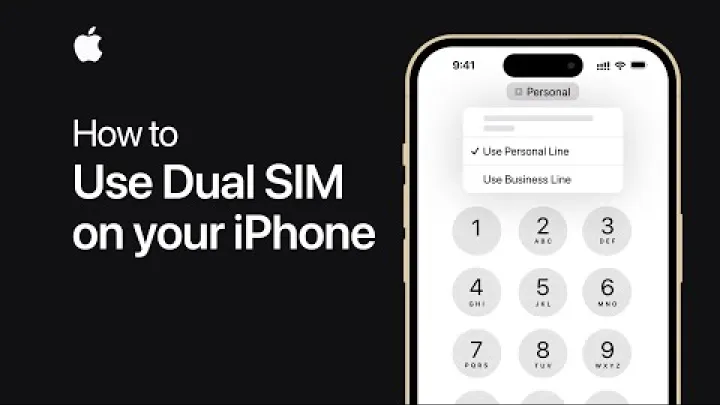
If you need to receive banking one‑time passwords (OTPs) while abroad, keep your home SIM enabled for SMS, but ensure it cannot use mobile data. Confirm with your bank that SMS OTPs can arrive while roaming or register an authenticator app before you travel. Label your lines clearly in the phone’s settings (for example, “Home” and “Thailand eSIM”) so you do not accidentally place calls or send SMS via the wrong line.
How to install and activate a Thailand eSIM (step by step)
Installing a Thailand eSIM is straightforward and usually takes just a few minutes over Wi‑Fi. You can pre‑install the profile at home and activate it on arrival, or install everything as soon as you land using airport Wi‑Fi. Follow this simple checklist to reduce setup time and avoid common pitfalls.

- Verify compatibility: confirm your device supports eSIM and is carrier‑unlocked; update your OS.
- Purchase the plan: choose plan size and duration; check hotspot and multi‑network details.
- Install over Wi‑Fi: scan the QR or enter the activation code; do not delete the profile after installation.
- On arrival: set the Thailand eSIM as the data line, enable data roaming on that line, and wait for provisioning.
- Test connectivity: open a browser or maps; if needed, toggle airplane mode, reboot, or select a network manually.
Pre-install at home over Wi-Fi (2-3 minutes)
Pre‑installing at home is the easiest way to ensure a smooth start. Using a stable Wi‑Fi connection, scan the QR code or enter the activation details provided by your eSIM brand. The profile will be added to your device, but in many cases the plan’s validity period does not start until the first network connection in Thailand. Keep the confirmation email and QR code accessible offline in case you need to reference them during activation.
Do not delete the eSIM profile after installation, and avoid multiple installation attempts unless directed by support. Many providers limit the number of profile downloads to protect against fraud. If you remove the profile, you may not be able to re‑download it without contacting support or purchasing a replacement. Storing a screenshot of the QR and the order details is a practical backup if you travel without steady Wi‑Fi.
Activate on arrival: switch data line and enable data roaming
When you land, open mobile settings and turn on the eSIM line. Set it as your default mobile data line and enable data roaming on the eSIM only. Keep data roaming off on your home SIM to avoid charges.

Plan validity may start on first network connection, depending on the provider, so wait to enable the line until you are ready to use it. If you cannot get a signal, try toggling airplane mode or rebooting the phone. You can also manually select AIS, DTAC, or TrueMove in network selection if your plan allows multi‑network roaming and automatic selection fails.
Top-ups and plan management in provider apps
Most brands offer a companion app or web portal where you can view usage, extend validity, and purchase top‑ups instantly. Payment methods usually include major cards and sometimes PayPal or local wallets. Top‑ups typically activate within minutes, making it easy to add data mid‑trip without visiting a store or replacing your number.

Some brands start a new plan cycle when you add data, while others extend your current plan. A few may also require a new eSIM profile when you switch plans or upgrade to a different package. Check the app’s details before confirming a top‑up so you know whether you will keep the same profile or need to reinstall a new one.
eSIM vs physical SIM in Thailand: cost and convenience
Both eSIM and physical SIM options work well in Thailand, and the right choice depends on your device and needs. eSIMs are faster to install, easier to manage, and ideal for dual‑SIM setups that keep your home number active. Physical SIMs still make sense for older phones, for local voice minute bundles, or if you prefer in‑person support. When comparing total cost, include not only the plan price but also the time and effort to buy and register a physical SIM at a shop or airport counter.

When a physical SIM still makes sense
A physical SIM is useful if your phone does not support eSIM or if you need local voice minutes included in a package. Long stays that require local number registration for certain services may be easier with a physical SIM purchased in Thailand. You can often find attractive retail promotions from the major carriers, especially in tourist areas or near transit hubs.

Be prepared for in‑store registration and bring your passport. Thailand requires identity verification when you buy a local SIM, and the process can take extra time during busy hours. While the offers can be compelling, the time cost of traveling to a store and waiting can outweigh the savings for short trips. If convenience is your top priority, a pre‑purchased eSIM that activates on arrival is usually faster.
Total trip cost comparison (10 and 30 days)
For a 10–15 day visit, many Thailand eSIMs cost roughly $10–$15 in total, which is usually far cheaper than $5–$10 per day charged by typical international roaming packages. For longer trips, 30‑day eSIMs often range between $15 and $33 for 20–50 GB or unlimited data with fair‑use policies. In practice, this means eSIMs are often 75–80% more cost‑effective than daily roaming, especially for travelers who use maps, ride‑hailing, and media regularly.

Physical SIMs can be similarly priced on paper, but they add time for store visits and registration. Multi‑network eSIMs may carry a small premium but can reduce downtime if your route includes islands or rural areas where one carrier is weak. Prices and availability change over time, so always check the latest plan details, taxes, and currency conversion at checkout before committing.
Troubleshooting: connection, APN, and network switching
Most eSIM activations work on the first try, but occasional hiccups happen with provisioning, signal, or device settings. The steps below address the most common issues: slow or no data, difficulty registering on the network, or unstable 5G. Work through the quick fixes, then confirm APN and network selection, and finally contact support if problems persist.

Quick fixes (airplane mode, reboot, wait 15–30 minutes)
Start with the basics. Toggle airplane mode for 30 seconds to reset the radio, then turn it off. Reboot your device to clear any temporary setup glitches. Ensure data roaming is enabled for the Thailand eSIM and disabled for your home SIM, which prevents surprise charges. If you installed the profile moments ago, give the network up to 15–30 minutes to complete provisioning, especially during peak hours.

If issues remain, resist the urge to reset all network settings unless advised by support. That action removes saved Wi‑Fi passwords and Bluetooth pairings, which can be inconvenient when you rely on hotel or coworking networks. In many cases, a brief wait, a reboot, or a manual network selection is enough to complete the activation handshake.
Manual network selection and APN checks
If automatic selection is unstable, open the mobile networks menu and choose AIS, DTAC, or TrueMove manually, depending on which signals your eSIM supports. In remote areas, one provider may outperform the others. If 5G seems flaky, temporarily set your device to 4G/LTE only; this often stabilizes connectivity while still providing adequate speeds for navigation and messaging.
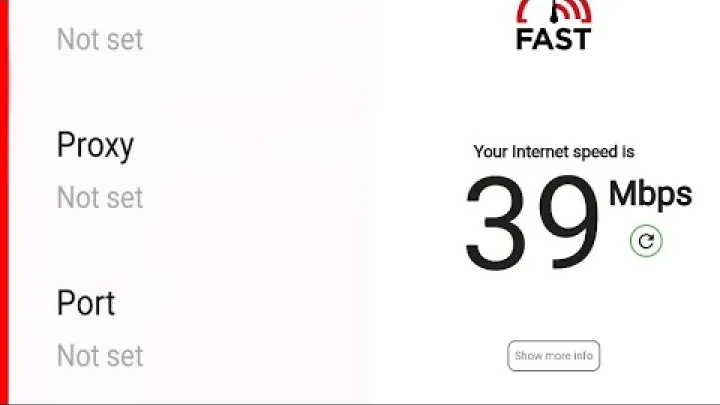
Confirm that APN settings are correct. Many eSIMs auto‑configure APNs, but some require manual input. Common examples include APN labels like “internet”, “internet.ais”, or “www” depending on the carrier and reseller. Exact values vary by provider, so check your plan’s instructions. After updating APN fields, toggle airplane mode again to force a clean network reconnection.
Reinstalling the eSIM profile and contacting support
Only delete and reinstall an eSIM profile if the provider specifically instructs you to do so. Some plans limit re‑downloads, and deleting a profile may permanently invalidate it. Before contacting support, gather your order ID, the eSIM’s ICCID number, your device model, and screenshots of any error messages. This information helps agents diagnose activation or network registration issues faster.
Most reputable providers offer 24/7 chat or email assistance and can push updates or confirm whether your line has registered correctly on the network. If a plan change is needed, the brand may issue a new profile. Follow the instructions carefully, keep your QR code secure, and avoid repeated installation attempts that could trigger security limits.
Frequently Asked Questions
What is the best eSIM option for travelers visiting Thailand?
The best option depends on your trip length and usage. For 7–15 days with moderate use, 5–10 GB plans are cost‑effective; for 30 days or heavy use, unlimited plans are simpler. Pick multi‑network eSIMs for islands or remote routes to improve reliability.
Does eSIM work on all phones in Thailand, including iPhone and Android?
eSIM works on most recent iPhone (XS or newer) and many Android flagships (Galaxy S20+, Pixel 3+). Mainland China iPhone models generally do not support eSIM. Always confirm your exact model and update your OS before purchase.
How do I activate a Thailand eSIM when I land at the airport?
Turn on the eSIM line in settings, set it as the mobile data line, and enable data roaming on the eSIM. Disable data roaming on your home SIM to avoid charges. If needed, connect to airport Wi‑Fi to finalize activation and provisioning.
Which network is best in Thailand: AIS, DTAC, or TrueMove?
AIS has the widest national coverage and is strong in rural and island areas. TrueMove offers very fast 5G in major cities, and DTAC is good value in urban hubs. A multi‑network eSIM can switch automatically to the best signal available.
How much data do I need for a 10–15 day trip in Thailand?
Most travelers use 0.5–1.5 GB per day, so 7–20 GB covers 10–15 days for maps, messaging, and light streaming. Content creators or frequent tethering should choose 20 GB+ or an unlimited plan. Use Wi‑Fi to reduce daily consumption.
Is a Thailand eSIM cheaper than roaming with my home carrier?
Yes, Thailand eSIMs are typically 75–80% cheaper than daily roaming packages. A 10–15 day eSIM often costs about $10–$15, compared with $5–$10 per day for roaming. Savings increase on 30‑day stays and higher data use.
Can I keep my home number active while using a Thailand eSIM for data?
Yes, enable dual‑SIM and set the Thailand eSIM as the data line while keeping the home SIM for calls and SMS. Turn off data roaming on the home SIM to prevent extra charges. You can receive calls/texts on your home number normally.
What should I do if my eSIM does not connect or shows no service?
Toggle airplane mode for 30 seconds, then reboot the phone. Ensure data roaming is on for the eSIM and off for the home SIM, and wait up to 30 minutes for provisioning. If needed, select a network manually, reinstall the eSIM, or contact 24/7 provider support.
Conclusion and next steps
A Thailand eSIM offers fast setup, flexible data choices, and strong coverage across AIS, DTAC, and TrueMove. Short trips often fit 3–10 GB, two‑week stays work well with 7–15 GB or daily‑reset plans, and month‑long visits benefit from 20–50 GB or unlimited with clear hotspot rules. Pre‑install at home, activate on arrival, and use simple troubleshooting steps if needed. Prices and policies change, so confirm plan details, network access, and hotspot allowances before you buy.
Select area
Create a post
Posting is free and no registration is required.